HTTP Status Codes
Complete reference for HTTP status codes with bilingual descriptions.
Part of the solution
Free Webmaster Tools
100
Continue
The server has received the request headers and the client should proceed to send the request body.
101
Switching Protocols
The requester has asked the server to switch protocols and the server has agreed.
200
OK
The request succeeded. The meaning depends on the HTTP method.
201
Created
The request succeeded and a new resource was created.
204
No Content
The request succeeded but there is no content to send back.
301
Moved Permanently
The URL has been permanently moved. Search engines should update links.
302
Found
Temporary redirect. The resource is temporarily at a different URL.
304
Not Modified
The resource has not been modified since the last request (caching).
307
Temporary Redirect
Temporary redirect that preserves the method and body.
308
Permanent Redirect
Permanent redirect that preserves the method and body.
400
Bad Request
The server cannot process the request due to client error.
401
Unauthorized
Authentication is required or has failed.
403
Forbidden
The server understood the request but refuses to authorize it.
404
Not Found
The requested resource could not be found.
405
Method Not Allowed
The request method is not supported for the resource.
408
Request Timeout
The server timed out waiting for the request.
409
Conflict
The request conflicts with the current state of the resource.
410
Gone
The resource is no longer available and will not be available again.
413
Payload Too Large
The request body is larger than the server is willing to process.
422
Unprocessable Entity
The request is well-formed but contains semantic errors.
429
Too Many Requests
The user has sent too many requests in a given time.
500
Internal Server Error
A generic error when the server encountered an unexpected condition.
501
Not Implemented
The server does not support the functionality required.
502
Bad Gateway
The server received an invalid response from an upstream server.
503
Service Unavailable
The server is not ready to handle the request (often maintenance).
504
Gateway Timeout
The server did not receive a timely response from an upstream server.
https://taskly.tools/tools/http-status-codes
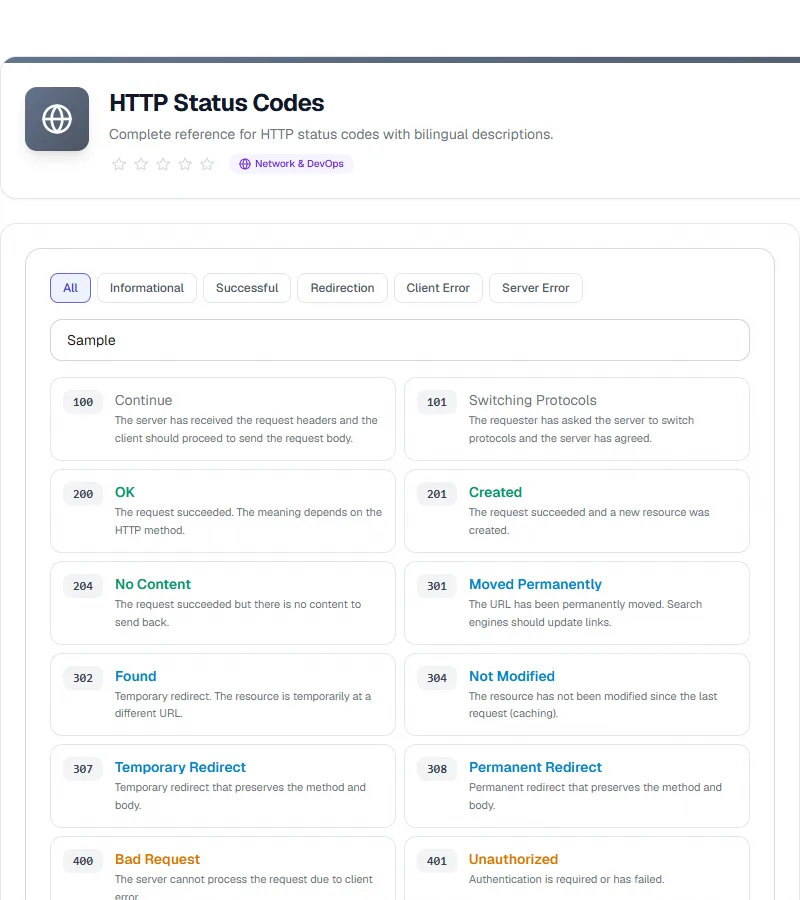
HTTP Status Codes tool screenshot
HTTP Status Codes tool screenshot
How to Use
1
Open the tool on Taskly.tools
2
Enter your data in the input fields
3
Click the action button to process
4
Review the results displayed on screen
5
Copy or download your results
Features
100% Free
No Sign-up Required
Works in Browser
Private & Secure
Fast Processing
Ad
728 × 90