Text Cleaner — Clean and Normalize Your Text
Trim whitespace, collapse multiple spaces, remove empty or duplicate lines, and format each line. Perfect for preparing text for documents and code.
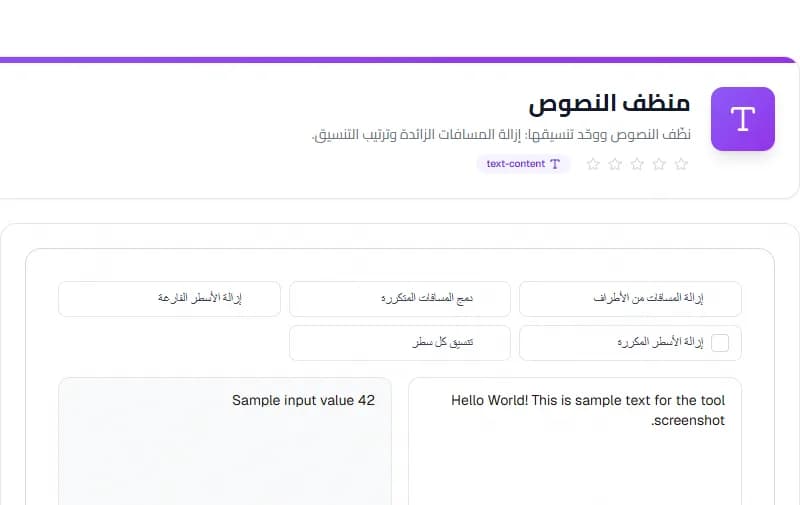
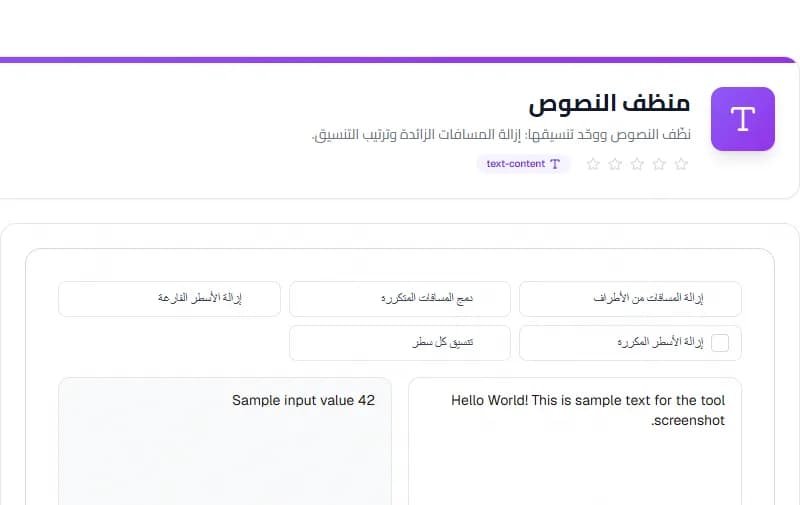
Welcome to the Text Cleaner — a free online tool that cleans and normalizes your text in your browser, no sign-up required.
What is Text Cleaner?
Trim edges, collapse multiple spaces into one, remove empty or duplicate lines, and format each line individually. It shows live character, word, and line counts so you can see how much was cleaned.
How to Use
- Paste or type your text in the input area
- Choose which cleaning options to apply
- The cleaned text appears instantly on the right
- Copy the result for your document or code
Key Features
- Trim edges of text
- Collapse multiple spaces into one
- Remove empty and duplicate lines
- Live character, word, and line count
Frequently Asked Questions
Is my text sent to a server?
No. All cleaning happens locally in your browser. Your text never leaves your device.
Can I remove only duplicates?
Yes, enable just the 'Remove duplicate lines' option and disable others.
Is my data safe?
All processing happens in your browser. Your data never leaves your device.
Does it work on mobile?
Yes, the tool is fully responsive and works on all devices.
Try the Text Cleaner now — free, no sign-up, and your text stays private in your browser.
Conclusion
The Text Cleaner is a practical, free solution that prepares your text quickly and accurately in your browser. Use it as often as you need — no limits and no data uploaded.
Taskly Team
The Taskly team is dedicated to providing the best free online tools and educational content.
Enjoyed this article?
Subscribe to our newsletter to get the latest articles and tools as soon as they are published.
Newsletter
Get the latest tools and articles in your inbox